Explore. Extract. Grow.
Turn map searches into qualified leads.
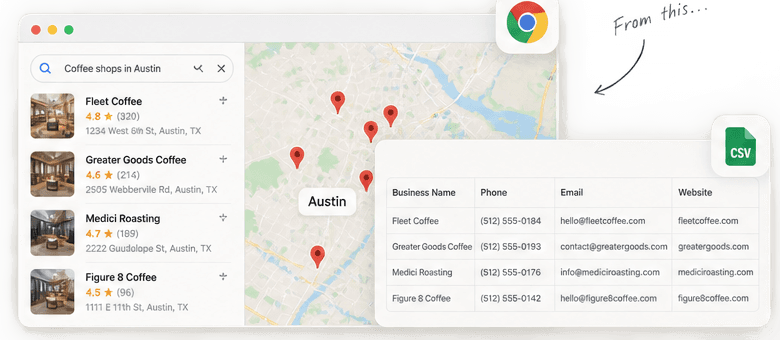
Placework is a Chrome extension that turns Google Maps search results into a clean, structured business list. Extract names, phone numbers, emails, websites, categories, and ratings, then export it all to CSV.
- Free to try
- No credit card required
- Works on any Google Maps search
Local data. Real opportunities.
Clean data. Real growth.
...to this.
200 Places
collected per Maps search, at most
1 CSV File
Maps details and website contacts, combined
0 Installs
no Python, server, or account needed
A small extension. A bigger picture.
Everything you need to collect better data.
Complete Business Data
Name, phone, email, website, category, rating, and address, all in one row.
Works Inside Google Maps
No separate tool or login. Search Google Maps like normal, then run the extension.
Fast & Reliable
Failed sites retry on their own, so a run finishes even when a few don't load.
Clean CSV Export
One click to download a spreadsheet, ready to open in Excel, Sheets, or your CRM.
It also skips duplicate listings, keeps every run’s progress checkpointed locally in Chrome, and never uploads results to an outside server.
From search to spreadsheet
3 simple steps
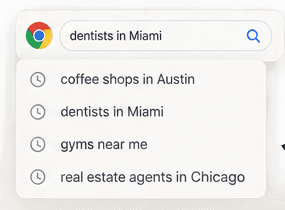
Search on Google Maps
Find any business type or location, like "dentists in Austin."
Run Placework
Click the extension to collect results from the current search.
Export to CSV
Download your list and open it in Excel, Sheets, or your CRM.
businesses.csv
148 rows
Built for real work
Popular use cases
Sales and lead generation
Build a prospect list for a niche and city before the first outreach email goes out.
Market research
Map every business of a category in an area for pricing, coverage, or expansion research.
Recruiting and sourcing
Find businesses of a type in a region, then work from their published contact details.
Local outreach
Build lists for events, sponsorships, and community partnerships nearby.
Works with any industry.
Common questions
Is Placework free to use?
Yes. It's free to try, with no credit card required to install or run it.
Do I need a Google account?
No. Placework reads the Google Maps page you already have open. There's no separate login or API key.
Can I get email addresses?
When a business publishes one. Placework reads published pages only, so some businesses won't have a listed email.
What data fields are included?
Business name, phone, email, website, category, rating, and address, plus decision-maker names or revenue when a business has published them.
Does it work worldwide?
It works on any Google Maps search, in any city or country. Result coverage still depends on what each business has published.
Is my data private?
Yes. Jobs and results stay in Chrome's local storage, and the CSV downloads straight to your computer. Nothing is uploaded to a server.
More businesses. Brighter opportunities.
Ready to find your next customers?
One extension, your browser, and a more useful list than a page of open tabs.
Download the ZIPFor desktop Chrome 120 or later. Not yet published on the Chrome Web Store.
- 1
Download the ZIP
Extract it into a folder you'll keep around.
- 2
Open chrome://extensions
Switch on Developer mode in the top right.
- 3
Choose Load unpacked
Select the folder that contains manifest.json.
- 4
Pin Placework and start
Enter a Maps search and a limit from 1 to 200.